 TIMMYG Studios
tELS
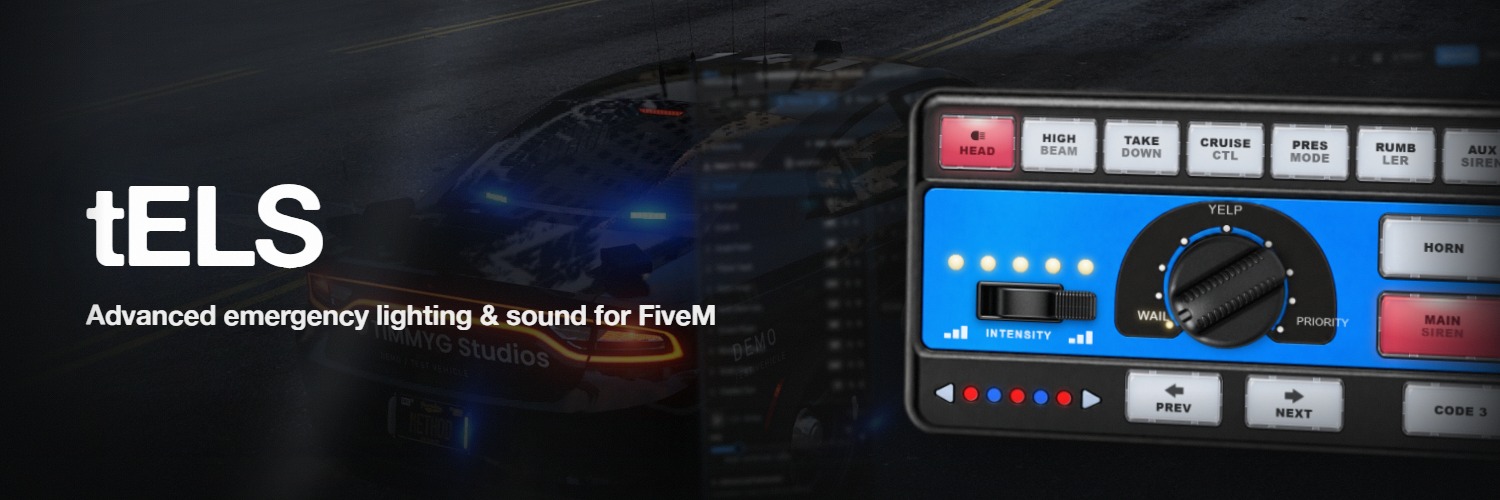
Emergency lighting in FiveM has always meant patterns compiled into a vehicle resource. Every flash-rate change, every LED nudge, every siren swap — edit the file, reupload the resource, restart the server.
tELS throws that pipeline out. You sit in the vehicle, run /telsedit, place LEDs on the 3D model with a gizmo, paint patterns on a grid, and wire up triggers. Save, and every connected client picks up the change.
- vehicle-state conditions you can combine
- 73
- siren tone slots, on two channels
- 8
- files to edit — it's all built in game
- 0
- dependency — tLib, and it's free
- 1
Requirements
| Requirement | Detail |
|---|---|
| OneSync | Required — Infinity or Legacy |
| tLib | v0.6+, free — download |
| Framework | None. There is no framework code in tELS, and none is needed |
| pma-voice | Optional, and only for the PA microphone |
| Lua | 5.4, handled by the manifest |
In-game editor
Position and rotate each LED on the vehicle with a live gizmo. Attach to bones so LEDs follow doors, the hood, the trunk. Group them by location. Click Create from siren bones and tELS auto-generates a starter bar from the vehicle's siren1…sirenN bones in one click.
Multi-select, duplicate, mirror across the centerline. Every LED carries a stable UUID, so renaming or reordering never breaks a saved pattern.
Up to 64 LEDs are rendered at once per vehicle. That covers a full lightbar build comfortably; a very heavily-lit apparatus can reach it.
Import an existing carcols
Copy a vehicle's carcols.meta, paste it into the importer, and pick a siren set. tELS converts its sequences, flash rate, phase offsets, and per-head colours into a native tELS pattern — optionally split into separate patterns per lightGroup — which you then edit like anything else.
It does not make tELS a drop-in for ELS packs, but it does mean a vanilla-style lightbar is a paste away rather than a rebuild.
Patterns, not presets
LEDs run across the top as columns, frames down the side as rows. Any colour on any LED at any frame. Per-pattern colour palettes, per-pattern frame rate, and per-frame durations. Cells marked dimmable interpolate their colour into the next frame instead of snapping.
The pattern previews on the actual vehicle as you edit. What you see in the editor is the pixel output in-game.
Per-pattern flags decide whether it cycles manually, plays only from triggers, holds the GTA emergency-lights flag, holds high beams, restricts to a specific livery, or syncs across every client from a shared network clock.
Triggers that match the real problem
73 vehicle-state conditions, written as compound AND/OR rules with per-condition negation, driving 16 kinds of action. Not a token list — the actual inputs emergency lighting needs:
| Category | Conditions |
|---|---|
| Speed | stationary, speed_15, speed_30, speed_60, speed_90 |
| Controls | brake, handbrake, reverse, turn_left, turn_right, hazards |
| Horn gestures | horn_tap, horn_hold, horn_double_tap |
| Doors | door_fl/fr/rl/rr, hood, trunk, any_door_open, locked |
| Occupancy | driver_in_veh, passenger_front, passenger_rear, presence, presence_mode |
| Audio state | siren, main_siren_on, aux_siren_on, rumbler, airhorn, siren_tone_1…siren_tone_8 |
| Modes | cruise, takedown, ta_left/right/center |
Actions overlay a pattern, set the base pattern, change stages, cycle sirens, play the airhorn, or fire a park chirp.
Example:
brakeANDspeed_30ANDlights_on→ overlay the rear warning pattern. Built in-game in two clicks.
Audio that matches the lights
Eight tone slots per vehicle. Main and aux channels. Airhorn. Rumbler variants. Each tone holds a vanilla GTA sound and an optional server-sided one — players toggle between them in /tels. Twelve custom tones ship, alongside fourteen vanilla game sounds, and sound packs map to the same slots; switching packs is a config change, not a code change.
Horn gestures become trigger conditions. With hornProgrammable on, the default horn steps out of the way and your triggers drive the audio exclusively.
Runs under load
Built for scenes with several emergency vehicles on screen, not just one:
- Vehicles beyond 500 m are skipped entirely; ones behind the camera are culled past 20 m.
- Environmental lighting steps down with distance, with a far band at 200 m.
- Pre-allocated render buffers — zero per-tick allocation.
- Trigger evaluation is native-gated: expensive door, lock, and occupancy natives run only for vehicles whose rules reference them.
- Smart environmental lighting samples frame time and scales between Medium and High, upgrading at 90 fps and dropping back at 75 so it settles rather than oscillates.
- Smart lighting quality is a separate setting: it drops other players' vehicles to Low below 85 fps and always leaves your own vehicle at full quality.
- Pattern sync rides a shared server clock — every client derives the same frame without per-client coordination.
Share once, deploy everywhere
{ "$ref": "police4", "$all": true }Configure police4 once. Reference its patterns, triggers, and siren from police5, police6, police7. Edit the source and every referencing vehicle updates. Orphans clean up automatically.
Two things to know: references do not chain — a $ref pointing at another $ref will not resolve — and editing a referenced pattern edits the source vehicle, not the one you are sitting in.
Vehicle packs can ship a tels.json inside their resource — tLib's Discovery module picks it up on server start. Server-owner edits always take priority, so customizations survive pack updates.
Integrates through state bags
Every lighting and siren field mirrors to a tels:* state bag. Any script on any client reads current state without a server round-trip:
local on   = Entity(veh).state['tels:active']
local tone = Entity(veh).state['tels:sirenTone']
local ta   = Entity(veh).state['tels:taMode']
Two exports (IsSirenActive, AreLightsActive) cover the common "is this a tELS vehicle" gate for integrations like radio scripts.
Questions people actually ask
The vehicle has no LEDs yet. Every keybind — Q, R, 9/0, 1-8 — needs at least one configured LED.
Open /telsedit and click Create from siren bones.
You need tLib's admin ACE. Add add_ace group.admin tlib.admin allow to server.cfg and
reconnect.
Three things all have to be true: the tone has both a Server Sound and a Server Sound Ref, the
audio bank ships with the resource, and Server-sided Sirens is on in /tels. Miss any one
and it falls back to the vanilla sound silently.
Ownership is per vehicle. They release it from /tels → Release Vehicle Ownership, or you
drive the vehicle yourself to claim it.
The editor does not auto-save. Press Enter or click Save — exiting discards your changes. Undo history is also cleared once you save.
It is either flagged Trigger Only, which deliberately hides it from manual cycling, or it is restricted to a livery index that isn't currently active.
tELS
Still stuck? Support can answer it directly.
Was this page helpful?