 TIMMYG Studios
tRadar
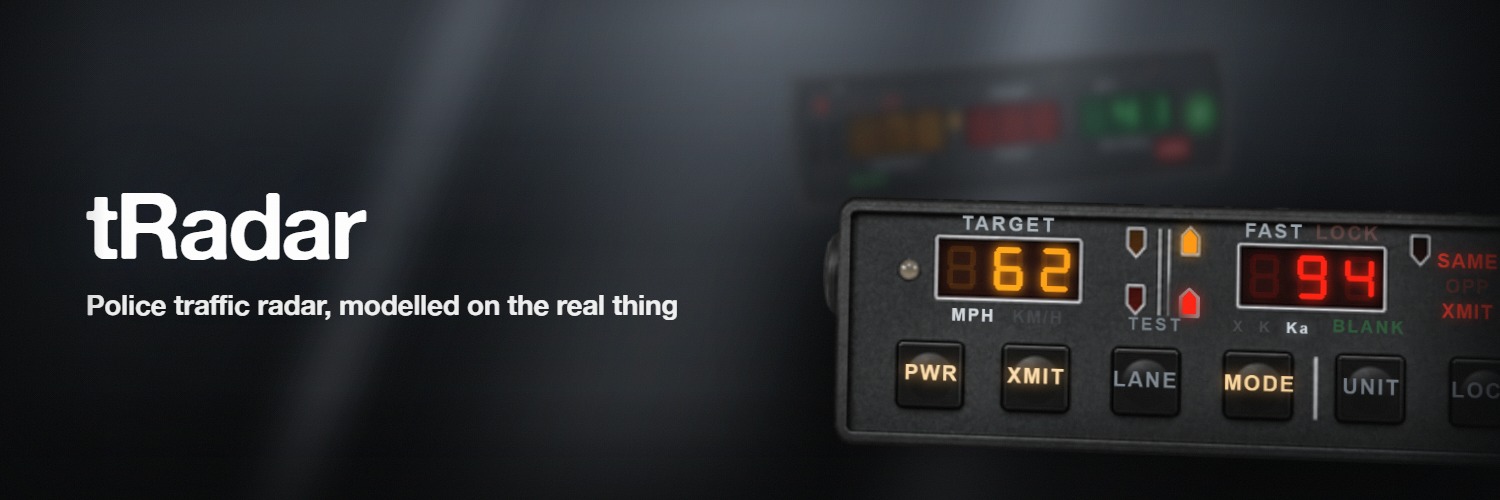
Police traffic radar: two antennas, a target and a fast window each, per-window lock, patrol speed, moving and stationary modes, X/K/Ka bands with doppler audio, a power-on self-test and a tuning fork.
One dependency, no database.
Requirements
| Requirement | Detail |
|---|---|
| tLib | v1.0 or newer. tRadar declares tlib_min_version '1.0' and refuses to start below it |
| A FiveM server | lua54 and node_version '22', both declared by tRadar |
| A vehicle | The unit is dash-mounted and reads patrol speed off the car |
No framework is needed. One is consulted only for Config.access.mode = "job", an inventory only for "item".
Install
Extract the resource
Unzip the release on the server into resources/.
Set the load order
ensure tLib
ensure tRadar
tLib must start first. The wrong order gives No such export — see Troubleshooting.
Choose who can use it
Config.access ships as mode = "everyone". Set a real mode on a live server.
Config.access = {
    mode = "ace",        -- or "everyone", "job", "item", "custom", or a list
    ace  = "tradar.use",
    job  = { police = 0, sheriff = 0, statepolice = 0 },   -- name = MINIMUM grade
}add_ace group.police tradar.use allowSix frameworks resolve for "job" — qbx_core, qb-core, ND_Core, es_extended, ox_core, nat2k15framework — and nine inventories for "item", including ox_inventory, qs-inventory and qb-inventory. Teach anything else to answer in server/sv_access.lua, outside escrow: define tradarPlayerJob, or call tlib.access.registerFramework if your framework has grades. An unresolvable job denies.
Grant admin separately
tradar.admin covers the sound library, the 3D prop editor and the diagnostic trace writer.
add_ace group.admin tradar.admin allow
add_ace group.admin command.tradar_diag allow
tlib.admin is honoured as a fallback, but it opens the admin surface of every t* resource. tradar_diag is gated on the command, not on tradar.admin, and the server console can always run it.
Deploy and check
Get in a vehicle, press F5, then press PWR on the faceplate.
It works if
- F5 puts the unit on screen. A second press opens the remote.
- PWR runs a self-test: every window shows
888, then the TEST legend lights green. - Pointed at moving traffic, the target window shows a speed.
Optional surfaces
| Surface | Default | Setting |
|---|---|---|
| Plate reader | Off | Config.plateReaderEnabled = true |
| Handheld remote | On | Config.remoteEnabled |
The remote is drawn only in keypad mode. The plate reader keeps no list of its own — it shows whatever a CAD or BOLO resource answers, and never prints CLEAR.
Next
- Usage — the controls, and reading the glass.
- Configuration — every option.
- Troubleshooting — if a step above did not work.
tRadar
Still stuck? Support can answer it directly.
Was this page helpful?